 listicle
Adjustable Gaming Chair Review: Top Picks for 2026
Table of Contents
- Why an Adjustable Gaming Chair Belongs in Your Setup
- Quick Comparison: Adjustable Gaming Chairs at a Glance
- Ergonomic Gaming Chair Benefits for Long Sessions
- How to Adjust Gaming Chair Lumbar Support
- Gaming Chair vs Office Chair for Back Pain
- Top Adjustable Gaming Chairs for Your Home
- What to Check Before You Buy
- Conclusion
- Frequently Asked Questions
Last Updated: September 29, 2026
Why an Adjustable Gaming Chair Belongs in Your Setup
An adjustable gaming chair is a seating system built to change with your body rather than force your body to adapt to it. An adjustable gaming chair is a seating system built to change with your body rather than force your body to adapt to it.

Quick Comparison: Adjustable Gaming Chairs at a Glance
Four models from the Retreat Elite collection cover almost every setup, from a compact home office to a dedicated game room. Here is how they line up before we dig into the details.
| Model | Price | Signature Feature | Best For |
|---|---|---|---|
| Men's Human Body Gaming Chair | $1,462.12 | 4D lifting armrests, removable lumbar cushion | All-day mixed use |
| Ergonomic Executive Gamer Chair | $578.98 | PU leather, adjustable high back | First serious chair |
| Ergonomic Gaming Chair Men's Waist Reclining | $2,740.19 | Contoured waist support, mesh back | Long sessions, warm rooms |
| Ergonomic Chair Adjustable Backrest Rotatable | $2,764.98 | Rotatable frame, cushioned seat | Multi-desk rooms |
Ergonomic Gaming Chair Benefits for Long Sessions
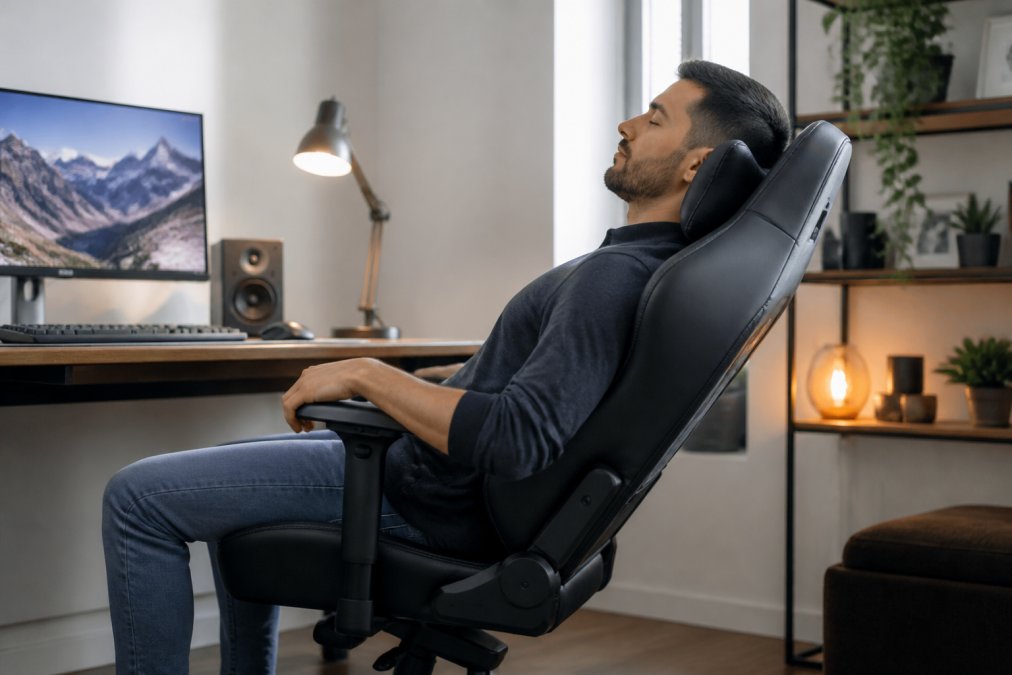
The practical payoff of an ergonomic gaming chair is pressure relief: a properly adjusted seat spreads your weight across the thighs, hips, and upper back instead of concentrating it in the lower spine. That matters most in hour three, not hour one.

Pressure Relief and Posture Correction
Posture correction is not about sitting rigidly upright. It is about keeping the spine's natural curve intact while the chair carries part of the load.
- High-density foam holds its shape instead of flattening into a trough
- A contoured backrest fills the gap between your lower back and the seat
- Adjustable height keeps your feet flat and thighs level
- A headrest supports the neck when you recline between matches
Material Breathability and Cushioning
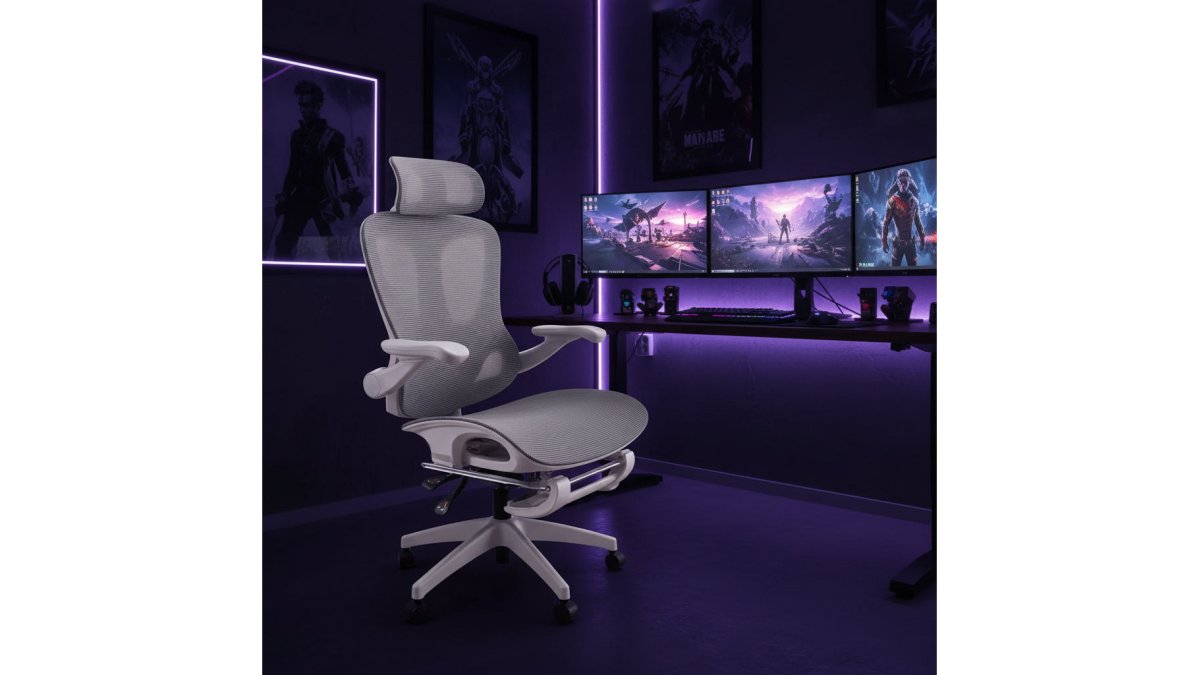
Breathability is the spec buyers ignore and then regret. PU leather looks sharp and wipes clean, but it holds heat. Mesh moves air across your back, which is why the Ergonomic Gaming Chair Men's Waist Reclining uses an imported flocking mesh back for warmer rooms and longer sessions.
How to Adjust Gaming Chair Lumbar Support
To adjust lumbar support, raise or lower the cushion until it sits in the small of your back, roughly level with your belt line, then set the depth so it presses gently without pushing you forward. Most people set it too high, which arches the spine instead of supporting it.
- Fixed contour: the backrest is molded with a built-in curve. You cannot move it, so fit depends entirely on your torso length. If your belt line lands above or below the curve, the chair will never feel right.
- Height-adjustable pad: a cushion on a vertical track or strap. You slide it up or down to meet your belt line, but depth stays fixed. Common on entry-level models.
- Depth-and-height adjustable: a knob, dial, or lever moves the pad in and out as well as up and down. This is the only design that lets you tune contact pressure, and it is what the 4D and multi-adjustment models in this guide use.
- Sit fully back so your hips touch the seat's rear edge
- Find the lumbar control, usually a knob or lever on the side
- Raise or lower the cushion to your belt line
- Increase depth until you feel light contact, not pressure
- Sit for ten minutes, then fine-tune by one notch
Matching Lumbar Depth to Recline Angle
Lumbar support and recline are a single system, not two separate settings. As you lean back, the natural curve of your lower spine flattens, so the pad needs to move with you.
What the Research Says About Recline and Spinal Load
This is the part most buying guides skip. Seating research has long shown that a fixed 90-degree upright posture is not the neutral position many people assume. Opening the hip angle past 90 degrees, reclining slightly, tends to reduce pressure on the lower back compared with sitting bolt upright.
Why the Pad Slides Out of Place
A lumbar pillow that migrates is one of the most common complaints about gaming chairs, and the cause is usually the attachment, not the cushion. Straps stretch, hook-and-loop fasteners lose grip, and a loose pillow drifts down to the seat within an hour. A pad on a rigid track, or one integrated into the backrest, holds its position.
Gaming Chair vs Office Chair for Back Pain
For back pain, an adjustable gaming chair and a task chair can both work. The difference is adjustability and price, not category. Gaming chairs typically give you more recline range and a taller backrest; office chairs often offer finer seat-depth tuning.
Top Adjustable Gaming Chairs for Your Home
Each of these four models solves a different problem. The right pick depends on how long you sit, how warm the room gets, and whether one desk serves both work and play.
Ergonomic Gaming Chair Men's Waist Reclining
This is the pick for long sessions in a warm room. The contoured waist support cushions the lower back, the high-back design runs support from shoulders to hips, and the mesh upholstery keeps air moving. Nylon five-star feet and swivel lifting armrests round it out.
Men's Human Body Gaming Chair
The most versatile of the four. A removable lumbar cushion lets you dial support up or down, and high-resilience foam handles shock absorption for extended use. $1,462.12.
Ergonomic Executive Gamer Chair with Adjustable High Back
The sensible entry point at $578.98. PU leather upholstery, adjustable lumbar support, a padded headrest, and a heavy-duty base with smooth casters. Seat height, multi-angle recline, and tilt tension are all adjustable, so you get the full adjustment set without the specialist price. Best for a first serious chair or a second desk.
Ergonomic Gaming Chair Men's Waist →
Ergonomic Chair Adjustable Backrest Gaming Computer Home Rotatable
Built for rooms where the chair moves. The rotatable frame and cushioned seat suit a setup with multiple screens or a desk that doubles as a workbench. Adjustable height and backrest, metal frame, assembly required. $2,764.98.
What to Check Before You Buy
Three specifications decide whether a chair works in your room, and none of them are on the marketing photos. This is also where most buying guides stop short, they tell you the chair is adjustable without telling you whether it will actually fit your desk.
Desk Compatibility: The Measurement Nobody Does
A chair can fit your body perfectly and still wreck your posture because it does not match your desk. Before you buy, take two measurements:
- Desk height: most fixed desks sit around 29 to 30 inches from floor to underside. Sit-in desks and standing-desk converters vary widely, so measure yours rather than assuming.
- Armrest top height: with the chair at your correct seat height (feet flat, thighs level), the armrest tops should land close to the desk surface, roughly level with it, or just under. If the armrests are several inches above the desk, you will either raise the chair until your feet dangle or shove the chair under and lose the armrests entirely.
Seat Depth and the Two-to-Three-Finger Rule
You want two to three fingers of space between the seat edge and the back of your knee. Less than that and the edge digs into your hamstrings; more and you will slide forward to find support, which flattens your lower back. Seat depth is fixed on most gaming chairs, so this is a buy-time decision, not an adjustment.
Weight Capacity and Base Stability
A metal frame and a wide five-star base resist tipping when you recline hard. Check the stated weight capacity against your own weight with margin to spare, a chair rated close to your weight will feel flexy at full recline. Nylon and aluminum bases are both common; aluminum adds stiffness and weight, nylon saves cost.
Caster Wheels by Floor Type
Soft, rubberized casters roll quietly and protect hardwood and vinyl. Harder nylon or plastic casters roll more easily on carpet but can scuff bare floors. If you have a mix of surfaces, a set of aftermarket soft casters is one of the cheapest upgrades you can make.
Assembly: Time and Tools
All four models here ship for assembly. In practice, most people finish a gaming chair in 30 to 60 minutes with a second pair of hands, and the task is simpler with one: one person holds the backrest while the other starts the bolts. Expect a hex key and a small wrench in the box, and expect to supply a Phillips screwdriver on some models.
Conclusion
The gap between a chair you tolerate and one you forget about comes down to adjustment range and material choices, not brand names. If you want help matching a model to your room, the Retreat Elite team can confirm dimensions, specifications, and setup details before you order, with free U.S. shipping on most orders.
Frequently Asked Questions
What features should I look for in an adjustable gaming chair?
Focus on adjustable height, lumbar support, recline range, and tilt tension. A high-back design with padded headrest and armrests adds comfort for long sessions. Check weight capacity and base stability for durability. Material matters too: mesh or breathable fabric suits warm rooms, while PU leather offers a polished look. The Ergonomic Executive Gamer Chair includes adjustable lumbar support, multi-angle recline, and PU leather upholstery, making it a solid all-rounder for home setups.
How do I adjust the lumbar support on a gaming chair?
Most chairs use a knob, lever, or removable cushion. Sit fully back, then raise or lower the support until it fills the curve of your lower back without pushing you forward. For a removable cushion like the one on the Men's Human Body Gaming Chair, reposition it higher for upper-back relief or lower for sacral support. Adjust in small steps and sit for a few minutes before fine-tuning further. Proper lumbar height reduces slouching and pressure on the spine.
Are adjustable gaming chairs better for posture than office chairs?
It depends on the chair's adjustability and your body. A quality adjustable gaming chair with lumbar support, recline, and tilt tension can rival an ergonomic office chair for posture. Gaming chairs often have deeper side bolsters and a higher back, which some users find more supportive during long sessions. Office chairs may offer more breathable mesh and slimmer profiles. The key is matching the chair's adjustments to your height, desk height, and sitting habits, not the label.
Do gaming chairs with footrests provide real ergonomic benefits?
A footrest can improve circulation and reduce pressure on the lower back by supporting the legs during recline. It is most useful when paired with a reclining backrest, letting you shift weight off the spine. Not every chair includes one, so check the product details. If your chair lacks a footrest, a separate footstool can serve the same purpose. For home theater or lounge setups, a footrest plus recline creates a more relaxed, supportive position.
How long should a high-quality gaming chair last?
With daily use, a well-built gaming chair typically lasts five to ten years. Longevity depends on frame material, foam density, and upholstery quality. Metal frames and high-density foam hold their shape longer than low-grade alternatives. PU leather may peel over time, while mesh and fabric tend to wear more gradually. Regular cleaning and tightening hardware extend life. The Ergonomic Gaming Chair Men's Waist Reclining uses a high-back design with mesh and nylon feet, built for everyday use in gaming or office settings.
Choosing seating for a game room or home cinema is really a question of how the space gets used. Retreat Elite curates entertainment, hosting, and wellness pieces with clear specifications and expert guidance, so you can compare options without guessing. Browse the collection to find seating that fits your room, or reach out and we will help you narrow it down.