 blog
7 Best Home Cinema Projectors in 2026: What to Look For
Last Updated: October 24, 2026
Quick Summary
The best home cinema projectors in 2026 are chosen by matching brightness, contrast, throw distance and light source to your room, not by chasing 4K specs alone. Target roughly 16 fL in a dark dedicated room and 30 fL or more where ambient light is present.
- Dedicated dark cinemas usually need 1,500-2,500 ANSI lumens for a 100-120-inch screen.
- Bright living rooms need 3,000 ANSI lumens or more plus an ALR screen with gain around 1.2-1.5.
- Laser projectors are rated for around 20,000 hours, while lamp replacements come every 3,000-5,000 hours.
- Budget roughly 30-50% above the projector's sticker price for screen, mount, cabling and calibration.
- Run a throw distance calculator with your room depth and screen width before buying.
Table of Contents
- What Separates the Best Home Cinema Projectors in 2026
- Projector Brightness for Home Theater: How Many Lumens You Actually Need
- Using a Projector Throw Distance Calculator Before You Buy
- Projector vs TV for Home Theater: Which Fits Your Room
- Home Theater Projector Setup: Placement, Screen Matching and Seating
- Total Cost of Ownership for Home Cinema Projectors
- Choosing Your Home Cinema Projector at Retreat Elite
- Frequently Asked Questions
What Separates the Best Home Cinema Projectors in 2026
The best home cinema projectors in 2026 are defined less by raw specs than by how well brightness, contrast, throw distance, and light source match your actual room.
Below, we'll show you exactly how to judge a projector before you buy, from lumens to throw ratio to long-term ownership costs.
Projector Central's projector buying guidance makes the same point: the room dictates the projector, not the other way around.
Here is the short version of what actually matters:
| Decision | What to Check | Why It Matters |
|---|---|---|
| Room light | Lumens vs. ambient light | Too few lumens, washed-out image |
| Room depth | Throw ratio and throw distance | Wrong ratio, no image fit |
| Seating distance | Screen size vs. viewing angle | Too close, eye strain |
| Light source | Laser vs. LED vs. lamp | Long-term cost and brightness |
| Contrast | Native contrast and black levels | Depth in dark scenes |
Most guides rank projectors in isolation. That is the mistake. A projector that shines in a dark dedicated room can disappoint in a bright living space with windows.
Projector Brightness for Home Theater: How Many Lumens You Actually Need
Brightness is the most misunderstood spec in home cinema, and the reason is that lumens do not exist in a vacuum.
You can estimate fL yourself with three inputs: projector lumens, screen area in square feet, and screen gain. The working formula is:
fL ≈ (lumens × screen gain) ÷ screen area in square feet
A 100-inch 16:9 screen is about 30.7 square feet. A 120-inch screen is about 44.4 square feet. A 135-inch screen is about 56.2 square feet. Run the numbers and the pattern becomes obvious:
| Screen (16:9) | Area (sq ft) | 2,000 lumens, gain 1.0 | 3,000 lumens, gain 1.0 | 3,000 lumens, gain 1.3 (ALR) |
|---|---|---|---|---|
| 100 in | ~30.7 | ~65 fL | ~98 fL | ~127 fL |
| 120 in | ~44.4 | ~45 fL | ~68 fL | ~88 fL |
| 135 in | ~56.2 | ~36 fL | ~53 fL | ~69 fL |
Those numbers look generous because they assume a brand-new lamp or laser at full power in a pitch-black room. In practice, lamp projectors lose output over their service life, HDR content demands extra headroom, and any ambient light eats contrast.
Room-by-room brightness targets:
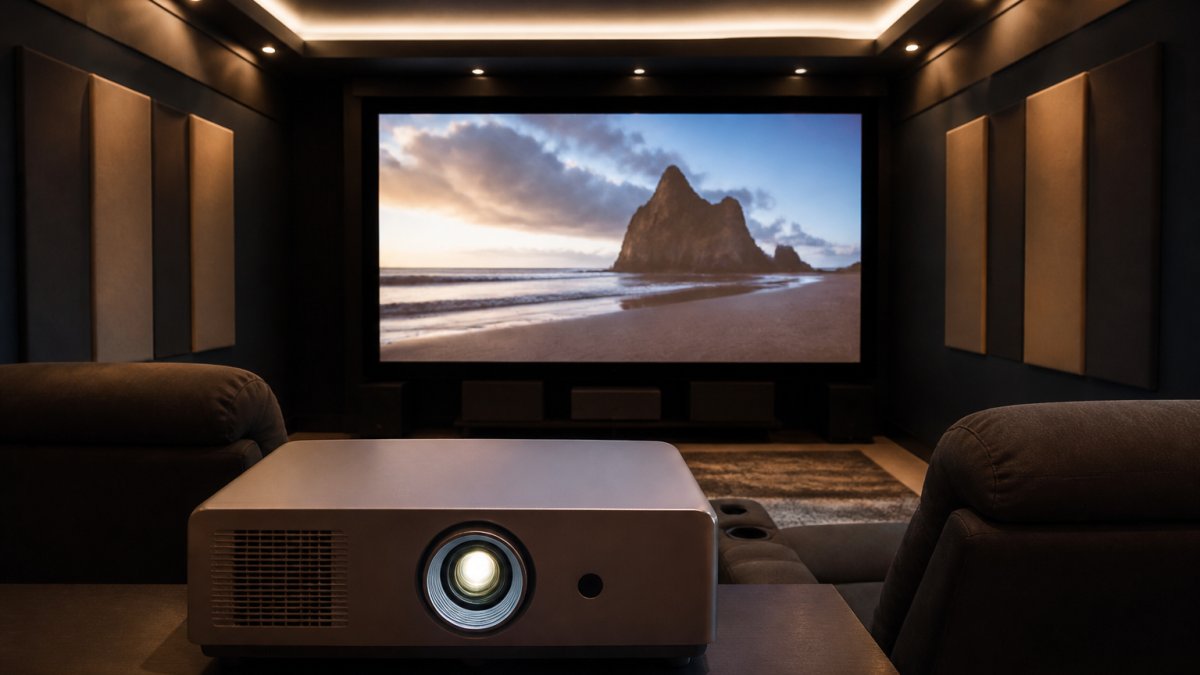
- Dedicated, light-controlled cinema (blackout shades, dark walls, no windows): 1,500-2,500 ANSI lumens is usually enough for a 100-120-inch screen. Prioritize contrast and black levels over raw output here; a dimmer, high-contrast image beats a bright, grey one.
- Multi-use media room with some light bleed (one window, light walls): 2,500-3,500 ANSI lumens for a 100-120-inch screen, paired with a matte white or light grey screen. Consider an ambient-light-rejecting (ALR) screen if the window is behind the seating.
- Bright living room used during the day: 3,000 ANSI lumens or more, an ALR screen with gain around 1.2-1.5, and a projector with strong HDR tone mapping. Accept that black levels will be compromised; the goal is a watchable daytime image, not reference contrast.
ANSI lumens vs. marketing lumens. Compare ANSI (or ISO) lumens, not "peak" or "color brightness" figures that manufacturers quote under favorable conditions. A projector rated at 5,100 ANSI lumens, like the BenQ LK936ST, is built for spaces where light control is imperfect, including bright golf simulator rooms.
HDR changes the math. High dynamic range content is mastered brighter than standard Blu-ray, and a projector needs extra light output to render specular highlights without clipping. A projector that looks fine with SDR at 2,000 lumens may look flat with HDR at the same setting.
A quick sanity check before you buy: measure your room's darkest and brightest conditions at the screen wall with a light meter app, note the screen size you want, and run the fL formula above. If the result is below about 16 fL in your darkest condition, step up in lumens or step down in screen size. If it is above about 30 fL in your brightest condition, you have enough headroom for daytime viewing with an ALR screen.
Using a Projector Throw Distance Calculator Before You Buy
Throw distance is the gap between the lens and the screen, and it decides whether your projector can fill the wall at all. A throw ratio is the distance divided by image width (Projection Calculator Pro). A 1.2:1 ratio means you sit 1.2 feet back for every foot of image width.
Run a projector throw distance calculator before you commit. Enter your room depth and desired screen width, and it returns the ratio you need. Then check the projector's optical zoom and lens shift, which give you wiggle room for placement.
A common mistake is buying a long-throw projector for a shallow room. The image simply won't fit, and no amount of keystone correction fixes a physical mismatch.
Projector vs TV for Home Theater: Which Fits Your Room
A projector wins on scale and cinematic feel; a TV wins on convenience and bright-room performance. For a dedicated, light-controlled home cinema, a projector delivers a 100-inch-plus image that a TV of the same size cannot match for the money.
BenQ LK936ST 4K HDR Short Throw Laser Golf Simulator Projector →
The real difference comes down to control. If you can darken the room and want movie-night immersion, go projector. If the space doubles as a family room, a TV removes the setup friction.
If you are weighing a dedicated room against a shared living space, our guide to home theater vs living room setups walks through seating, sound, screens, and budget side by side.
Home Theater Projector Setup: Placement, Screen Matching and Seating
Home theater projector setup succeeds when placement, screen, and seating are planned together. Mount the projector so the lens is centered on the screen, use lens shift rather than heavy keystone correction to protect image quality, and size the screen to your seating distance.
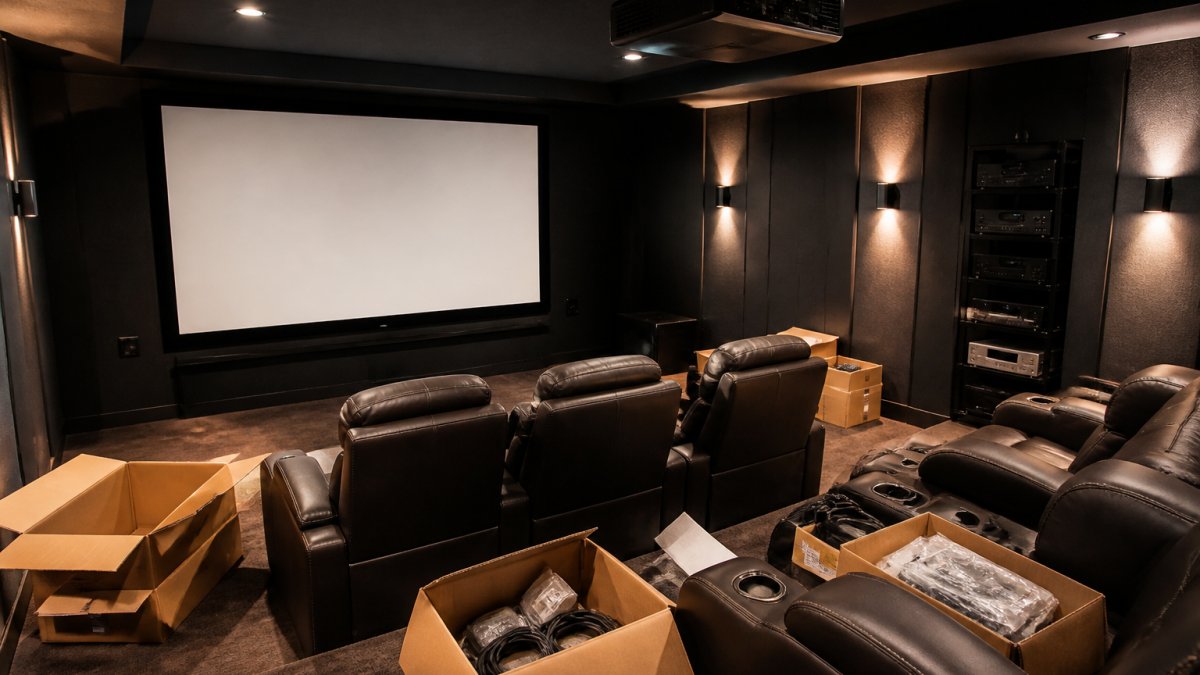
A few setup rules that save headaches:
- Match screen gain to room light; a matte white screen suits dark rooms, an ambient-light-rejecting screen suits brighter ones.
- Keep seating within a comfortable viewing angle so the image fills your vision without strain.
- Route cables and mount hardware before the screen goes up.
- Pair the projector with seating that faces the screen squarely.
Once placement is planned, the right home theater seating completes the room and keeps sightlines clean.
Total Cost of Ownership for Home Cinema Projectors
The purchase price is only the start, and this is the section most roundups skip. Total cost of ownership for a home cinema projector includes the light source, replacement parts, screen, mounting, cabling, calibration, electricity, and, often overlooked, warranty and service life.
Light source: lamp vs. laser vs. LED.
- Lamp (UHP) projectors typically cost less up front but need a replacement lamp every 3,000-5,000 hours depending on mode. Replacement lamps commonly run $150-$400 depending on model, and output dims gradually before the lamp fails. At four hours of viewing per night, 4,000 hours is roughly three years.
- Laser projectors cost more up front but are rated for around 20,000 hours, often 10+ years of typical use, with little output loss over that span. There is no user-replaceable lamp, so the main long-term cost is electricity and eventual service.
- LED projectors sit between the two on price and life, typically rated 20,000-30,000 hours, with lower brightness ceilings than laser.
A simple break-even: if a lamp projector costs $1,500 and needs two $250 lamps over five years, its five-year light-source cost is about $2,000. A $2,800 laser projector with no lamp replacements is roughly $800 more up front but avoids $500 in lamps and the hassle of swapping them, and it holds brightness better, which matters more as the years pass.
Screen, mount, and installation. A fixed-frame screen for a 100-120-inch image commonly runs $300-$1,500 depending on material and gain; ALR screens cost more. A ceiling mount runs $50-$300, and professional installation with calibration can add several hundred dollars.
Electricity. Projector power draw varies widely, roughly 200-400 watts for typical home models, higher for very bright models. At four hours a night, 365 nights a year, a 300-watt projector uses about 438 kWh annually.
Warranty and service life. Warranty terms vary significantly: many manufacturers cover the projector body for 2-3 years but the lamp for only 90 days to one year, while laser light sources are often covered for the full projector warranty or longer. Check whether the warranty is transferable, whether advanced replacement is offered, and whether replacement parts are stocked domestically. A projector with a strong warranty and available parts is worth more than a slightly cheaper model with a short lamp warranty and slow service.
For guidance on choosing equipment that stays easy to service and works well together, see our durable home theater equipment guide.
Choosing Your Home Cinema Projector at Retreat Elite
Choosing the right projector comes down to matching brightness, throw, and contrast to your room, then planning the screen and seating around it. At Retreat Elite, we help you work through those details with clear specifications and expert help by phone and email, so the pieces fit before they ship. Our curated collections cover home cinemas, game rooms, and hosting spaces, with free U.S. shipping on most orders.
Ready to see the specs for yourself? Explore projectors at Retreat Elite and match a model to your room.
Frequently Asked Questions
How many lumens do I need for a home cinema projector?
For a light-controlled room, 2,000 to 2,500 lumens is usually enough for a 100- to 120-inch screen. If the room has windows or ambient light during the day, aim for 3,000 lumens or more. A laser projector like the BenQ LK936ST, rated at 5,100 lumens, handles brighter rooms and larger screens without washing out. Match brightness to your room first, then to screen size.
Are 4K projectors worth it for a home cinema?
Yes, if your screen is large enough to show the difference. At 100 inches and up, 4K resolution delivers visibly sharper detail than 1080p, especially on text, sports and nature footage. The BenQ LK936ST offers 4K UHD resolution with 8.3 million pixels, so you see crisp detail even in a golf simulator or movie room. On smaller screens or with heavy compression, the gap narrows.
How far should a projector be from the screen?
Distance depends on the throw ratio. A standard projector with a 1.5:1 ratio needs about 12.5 feet for a 100-inch screen. Short-throw models need far less, which is why they suit smaller rooms. Use a projector throw distance calculator with your screen size and throw ratio before buying, and check for lens shift and keystone correction to fine-tune placement without moving the mount.
Is a projector better than a TV for a home theater?
A projector wins on screen size and cinematic feel, easily producing images of 100 inches or more for movie watching. A TV wins on brightness in daylight and simple setup. For a dedicated dark room, a projector delivers the immersion most homeowners want. For a multi-use living room with lots of windows, a TV or a high-lumen laser projector is the safer pick.
The hardest part of a home cinema isn't picking a projector. It's getting the room, screen, and seating to work as one system. Retreat Elite simplifies that process with curated collections, clear product specifications, and expert guidance on setup and fit. Get started with Retreat Elite and build a home cinema that makes a lasting impression.