 ultimate-guide
Durable Home Theater Equipment Guide
Table of Contents
- Planning Your Home Theater Room and Choosing a Suitable Space
- Best Home Cinema Projectors and Display Selection
- Durable Home Theater Speakers and Audio Channel Configuration
- Receiver, Processor, and Amplifier Equipment for Long-Term Reliability
- Wired Versus Wireless Connections and Cable Management
- Home Theater Equipment Maintenance and Durability Protection
- Your Home Theater Equipment Checklist for Setup and Installation
- Durable Home Theater Seating, Room Acoustics, and Comfort
- Frequently Asked Questions
Last Updated: October 17, 2026
Planning Your Home Theater Room and Choosing a Suitable Space
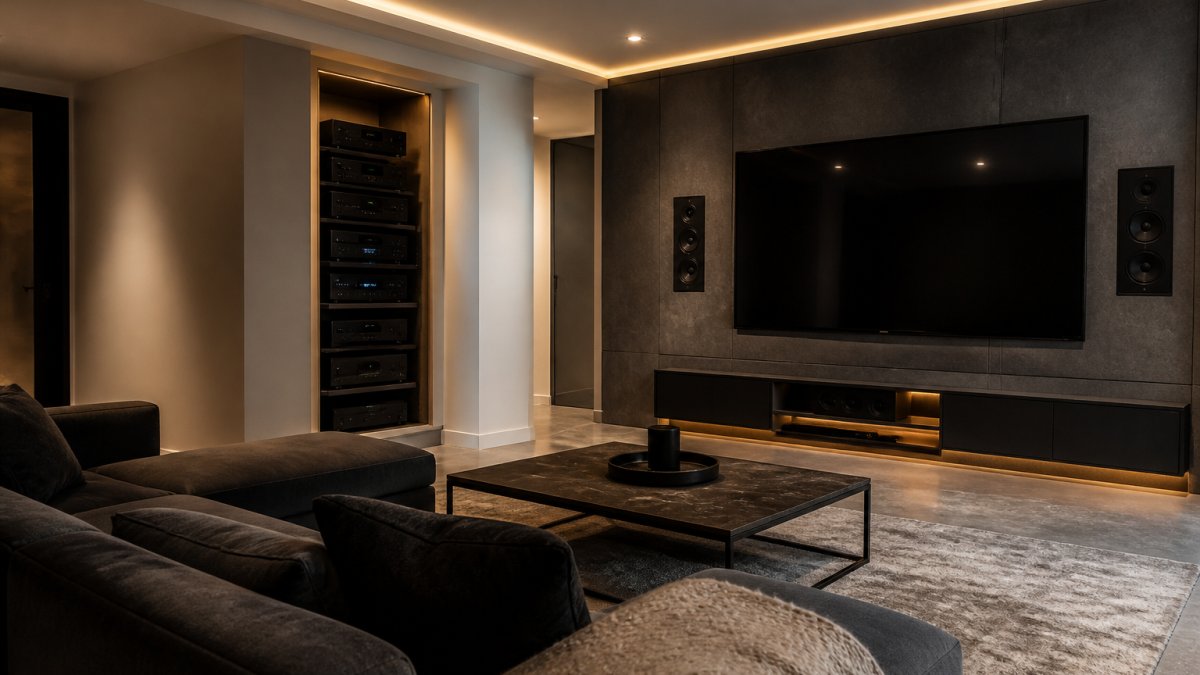
A durable home theater equipment setup starts with the room itself, whose characteristics determine how well everything else performs over time.
Assess your space honestly. A cramped bedroom cannot match a dedicated 15-by-20-foot room acoustically, no matter how expensive your components are.
Humidity and temperature stability are critical for longevity. Electronics generate heat, and fluctuating moisture accelerates component failure. If your room lacks climate control, add it before buying anything else: an uninsulated basement or attic can cut equipment lifespan in half.
Light control deserves equal attention. Ambient light forces projectors and displays to work harder, generating more heat and wearing components faster. Plan blackout curtains or light-blocking solutions during the design phase to extend equipment life and improve the viewing experience immediately.
Finally, plan your layout. Equipment placement affects airflow, cable management, and heat dissipation, and poor ventilation around receivers and amplifiers causes thermal stress that compounds over years.
Best Home Cinema Projectors and Display Selection
Choosing between a projector and a television is the first major decision, and it shapes your entire durable home theater equipment strategy differently.
Projectors deliver immersive scale but demand more maintenance. Bulbs degrade over 2,000-5,000 hours, requiring replacement every few years at significant cost, and dust inside the optics degrades image quality gradually.
Televisions, particularly modern LED and OLED displays, require minimal maintenance once installed: no bulbs, no fans, no consumables. OLED delivers superior contrast and color accuracy but costs more upfront; LED costs less and lasts reliably.
For most homeowners, a quality television in the 65-to-85-inch range provides the best balance of performance, durability, and maintenance burden. Retreat Elite carries options that prioritize build quality and long-term reliability over modern features that become obsolete quickly.
Projection screens require only occasional gentle dusting, but screen material degrades under direct sunlight and high humidity. Mount your screen in a climate-controlled space away from windows; lifespan typically exceeds 15-20 years if protected from environmental extremes.
Durable Home Theater Speakers and Audio Channel Configuration
Audio quality depends on speaker placement and configuration far more than brand prestige or price. A mediocre speaker placed correctly outperforms an expensive speaker placed poorly, and it outlasts poor installations because it experiences less physical and thermal stress.
Start with a clear channel strategy. Most home theater systems use 5.1 (five speakers plus subwoofer) or 7.1 (seven speakers plus subwoofer) configurations. Five-channel setups work well in smaller rooms and are easier to install durably.
Wired speakers outlast wireless alternatives significantly. Wireless speakers depend on battery charging cycles, Bluetooth chipsets, and power management circuits that fail over time; wired speakers eliminate these failure points and are immune to interference and dropouts.
Speaker placement directly affects durability.
Quality speaker cables matter more than most guides acknowledge. Cheap cables corrode over time, introducing resistance that forces amplifiers to work harder and creating intermittent connection failures that damage amplifier output stages.
Receiver, Processor, and Amplifier Equipment for Long-Term Reliability
Your receiver or processor is the brain of your durable home theater equipment system, and its longevity determines how long your entire setup remains functional.

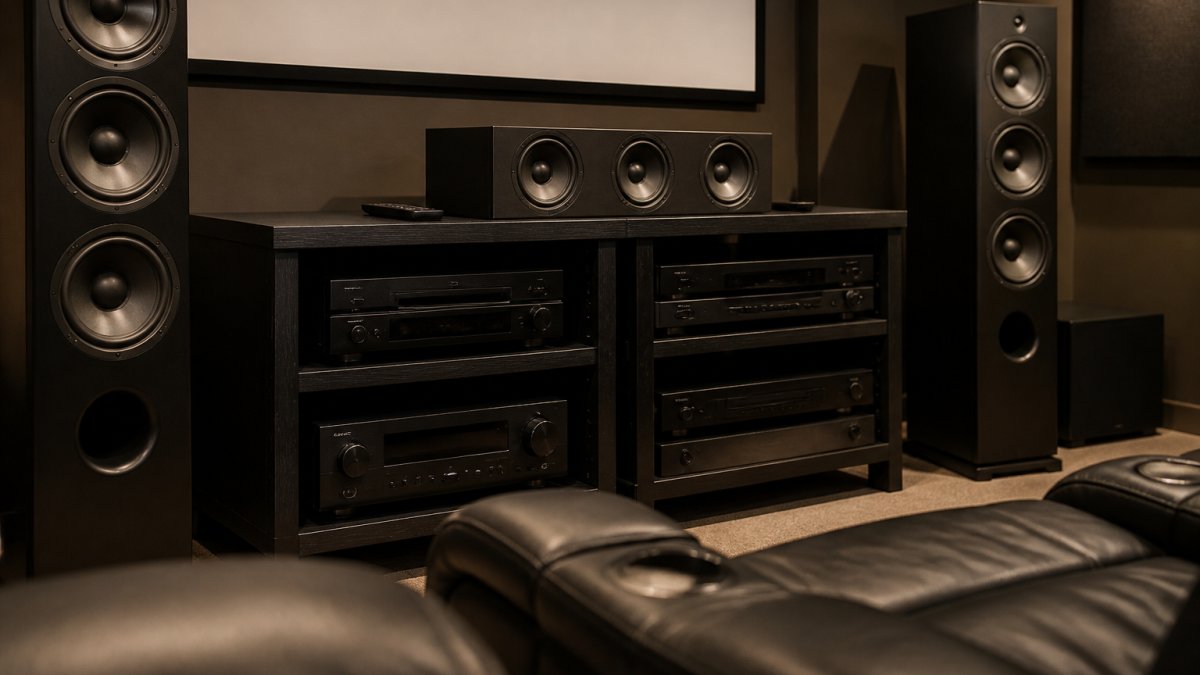
Receivers combine amplification, processing, and switching in one box, which is convenient but creates thermal challenges. Receivers mounted in enclosed cabinets without ventilation fail prematurely, so always ensure open air space above and behind yours, minimum 4 inches on all sides.
Dedicated processors paired with separate amplifiers offer better longevity. Separating video switching and audio decoding from power delivery means each component generates less heat and operates in a narrower thermal range, and amplifiers can be placed in cooler locations.
Power protection is non-negotiable. Surge protectors rated for audio/video equipment guard against spikes that destroy components instantly, while uninterruptible power supplies (UPS) protect against brownouts and sudden power loss that corrupt processor firmware and damage amplifier circuits.
Thermal management separates equipment that lasts 5 years from equipment that lasts 15.
Wired Versus Wireless Connections and Cable Management
The choice between wired and wireless connectivity determines your system's reliability trajectory more than most people realize.
Wired connections, HDMI, optical, and analog audio cables, are passive. They don't fail unless physically damaged or corroded. They don't require power, batteries, or firmware updates. They don't experience interference.
Cable management affects longevity through strain relief and heat dissipation. Cables routed through tight spaces bend at extreme angles, stressing internal conductors, and tightly bundled cables trap heat around connectors and damage insulation.
Connector quality matters more than cable brand. Gold-plated connectors resist corrosion far better than standard ones; over 10-15 years, corrosion introduces resistance that forces amplifiers to work harder and degrades signal quality.
MaxView Media Mocha 6-Piece Power Reclining Sectional with Immersive Sound →
Cable shielding protects against electromagnetic interference that forces amplifiers to amplify noise along with signal, reducing electrical stress on amplifier circuits.
Home Theater Equipment Maintenance and Durability Protection
Preventive maintenance is the difference between equipment that lasts 5 years and equipment that lasts 15. Most homeowners skip it because results aren't visible, but the math is clear: an hour of maintenance per year prevents thousands in premature component replacement.
Create a maintenance schedule.
Every six months, use compressed air to blow dust from equipment vents, projector filters, and speaker grilles.
Annually, verify that your climate control system maintains temperature between 60-75 degrees Fahrenheit and humidity between 30-50 percent. Temperature and humidity fluctuations stress components and accelerate corrosion.
Surge protection requires annual attention too. Power strips and surge protectors degrade over time. Test yours annually by checking the indicator light. If it's off or dim, replace the surge protector immediately, it's no longer protecting your equipment.
Keep documentation: purchase dates, warranty expirations, and any repairs or replacements. This record helps you identify patterns (e.g., "my receiver overheats every July") and plan proactive maintenance.
| Maintenance Task | Frequency | Impact on Durability |
|---|---|---|
| Inspect connections for corrosion | Every 3 months | Prevents signal degradation and amplifier stress |
| Blow dust from vents and filters | Every 6 months | Maintains cooling efficiency, extends component life by 20-30% |
| Verify climate control settings | Annually | Prevents thermal and humidity-related failures |
| Test surge protection | Annually | Prevents catastrophic damage from power spikes |
| Professional equipment cleaning | Every 2-3 years | Removes internal dust that degrades performance |
Your Home Theater Equipment Checklist for Setup and Installation
Before you begin installation, prepare a detailed checklist. This prevents costly mistakes and ensures your durable home theater equipment starts life under optimal conditions.
Pre-Installation Phase:
- Confirm room dimensions and ceiling height
- Verify climate control system capacity (temperature and humidity control)
- Test electrical outlets for proper grounding and voltage stability
- Identify equipment placement locations with 4+ inches of clearance on all sides
- Plan cable routes avoiding power lines and heat sources
- Measure viewing distances and confirm display size appropriateness
- Identify potential interference sources (WiFi routers, microwaves, cordless phones)
Installation Phase:
- Install surge protection and UPS before connecting any equipment
- Mount receivers and amplifiers with proper ventilation
- Route all cables using gentle curves and loose securing methods
- Connect all wired speakers before powering on
- Verify all connections are secure and corrosion-free
- Test audio and video output on each channel
- Calibrate speaker levels and subwoofer placement
- Document all connections with photos for future reference
Post-Installation Phase:
- Run system for 2 hours to verify thermal stability
- Check for unusual noise or vibration
- Verify that ventilation paths remain clear
- Establish maintenance schedule and set calendar reminders
- Store warranty documentation and purchase receipts
- Test all remote controls and wireless devices
- Create backup of any processor settings or calibration data
Durable Home Theater Seating, Room Acoustics, and Comfort
Your seating choice affects both comfort during extended viewing and the acoustic performance of your entire room. These factors are inseparable in a well-designed home theater.
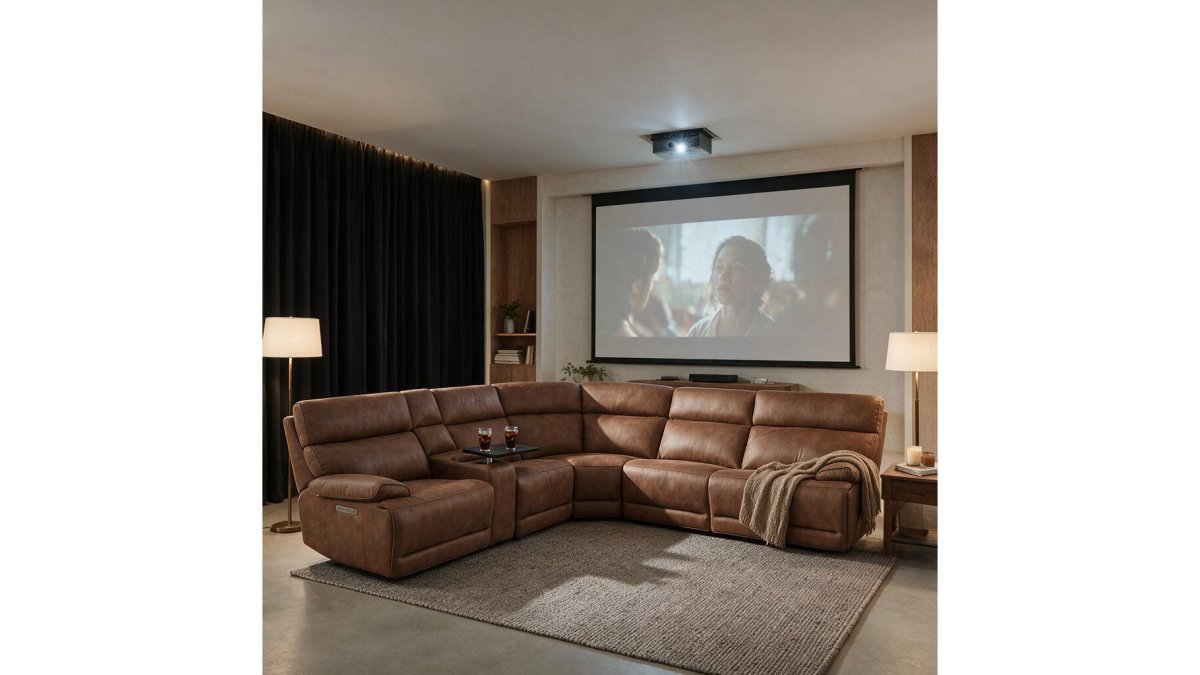
Premium seating like the MaxView Media Mocha 6-Piece Power Reclining Sectional with Immersive Sound System ($3,299.00) combines durability with integrated audio.

Alternatively, the Angelo Power Reclining Sofa ($1,819.98) prioritizes durability through materials and construction. Built with top-grain Italian leather, individually pocketed coil seating, and cool gel memory foam, it's designed for years of reliable comfort.

Room acoustics directly impact equipment stress and longevity. Hard surfaces like tile, concrete, and glass reflect sound waves, creating pressure buildup that forces speakers to work harder.
Acoustic treatment doesn't require expensive panels. Heavy curtains, area rugs, and upholstered furniture absorb mid and high frequencies effectively. Bass frequencies (below 100 Hz) require thicker absorption or bass traps in corners.
Seating placement affects both acoustics and viewing comfort.
Building a durable home theater equipment system requires planning across room design, component selection, installation practices, and ongoing maintenance.
Frequently Asked Questions
What equipment do you need for a durable home theater system?
A complete durable home theater system requires a display (projector and screen or television), surround sound speakers, a receiver or processor to manage audio and video signals, amplification for speaker power, quality cables and connectors, and comfortable seating. The Channel Vision A4623 4 Input 6 Zone Amplified A/V Controller ($849.99) distributes audio and video across multiple zones while handling amplification, making it a core component for whole-house reliability. Add seating like the Angelo Power Reclining Sofa ($1,819.98) built with top grain Italian leather and pocketed coil construction for lasting comfort.
How long does durable home theater equipment typically last?
Quality home theater equipment lasts 7-15 years depending on the component and maintenance. Speakers and receivers often exceed 10 years with proper care. Projectors typically last 3,000-5,000 hours before bulb replacement becomes necessary. Seating with reinforced frames and premium upholstery lasts 10+ years. Durability depends on build quality (reinforced frames, high-density foam, quality connectors), environmental protection (heat management, dust control, surge protection), and regular maintenance. Equipment stored in temperature-controlled rooms with adequate ventilation outlasts systems exposed to temperature swings and humidity.
How can you protect home theater equipment from overheating and dust?
Maintain proper ventilation around receivers, amplifiers, and projectors by leaving at least 4 inches of clearance on all sides. Use surge protectors and power conditioners to regulate voltage and prevent heat spikes. Install ventilation fans or air circulation in enclosed equipment cabinets. Keep rooms at 65-75°F to reduce thermal stress. Dust equipment monthly with soft microfiber cloths and use air filters on equipment enclosures. Store cables away from heat sources and avoid stacking equipment. This protection extends equipment lifespan significantly and prevents costly repairs.
What is the best way to maintain home theater equipment?
Keep manuals and warranty documentation organized. Document all maintenance in a simple log.
How do you choose comfortable, durable home theater seating?
Select seating with reinforced hardwood or steel frames, high-density foam cushions wrapped in poly fiber, and premium upholstery like Italian top grain leather or performance fabrics. Power recliners with lay-flat mechanisms should feature heavy-duty internal components rated for thousands of cycles. Look for attached cushions to prevent shifting and models with zero-wall designs to maximize space. The Boyington Black Power Reclining Sofa ($2,339.00) includes air massage and heated seats with diamond-stitched upholstery, while the MaxView Media Mocha 6-Piece Sectional ($3,299.00) integrates an immersive sound system. Verify weight capacity and test recline smoothness. Quality seating lasts 10+ years with proper care.
What should you look for when buying a home theater projector?
Choose projectors with lumens ratings suited to your room size and lighting conditions, typically 2,000-3,000 lumens for dark rooms, 3,000-5,000 for rooms with ambient light. Verify contrast ratio (higher is better for darker blacks), resolution (4K for modern content), and throw distance to ensure proper placement in your room. Check cooling systems and ventilation to prevent overheating. Look for projectors with replaceable lamps rated 3,000+ hours and accessible filters. Verify warranty coverage (typically 2-3 years) and parts availability. Consider brightness uniformity and color accuracy ratings. Projectors require regular filter cleaning and bulb replacement, so factor maintenance costs into your decision.
Do you need a receiver for a home theater system?
Yes, a receiver or processor is essential for managing audio and video signals from multiple sources and distributing them to speakers and displays. The Channel Vision A4623 ($849.99) serves this role by accepting 4 input sources and routing them to 6 zones independently, with built-in 20-watt amplification per channel. Receivers decode surround sound formats, apply room correction, and allow you to adjust volume and input selection from one control point. For whole-house systems, processors route content to different rooms while amplifiers power the speakers. Quality receivers last 10+ years and simplify system management, making them a core investment in reliability and ease of use.